Builds list
The Builds list is the main view for tracking every Argos build in a project. It helps you scan status, drill into a specific build, and filter down to exactly the runs you care about.
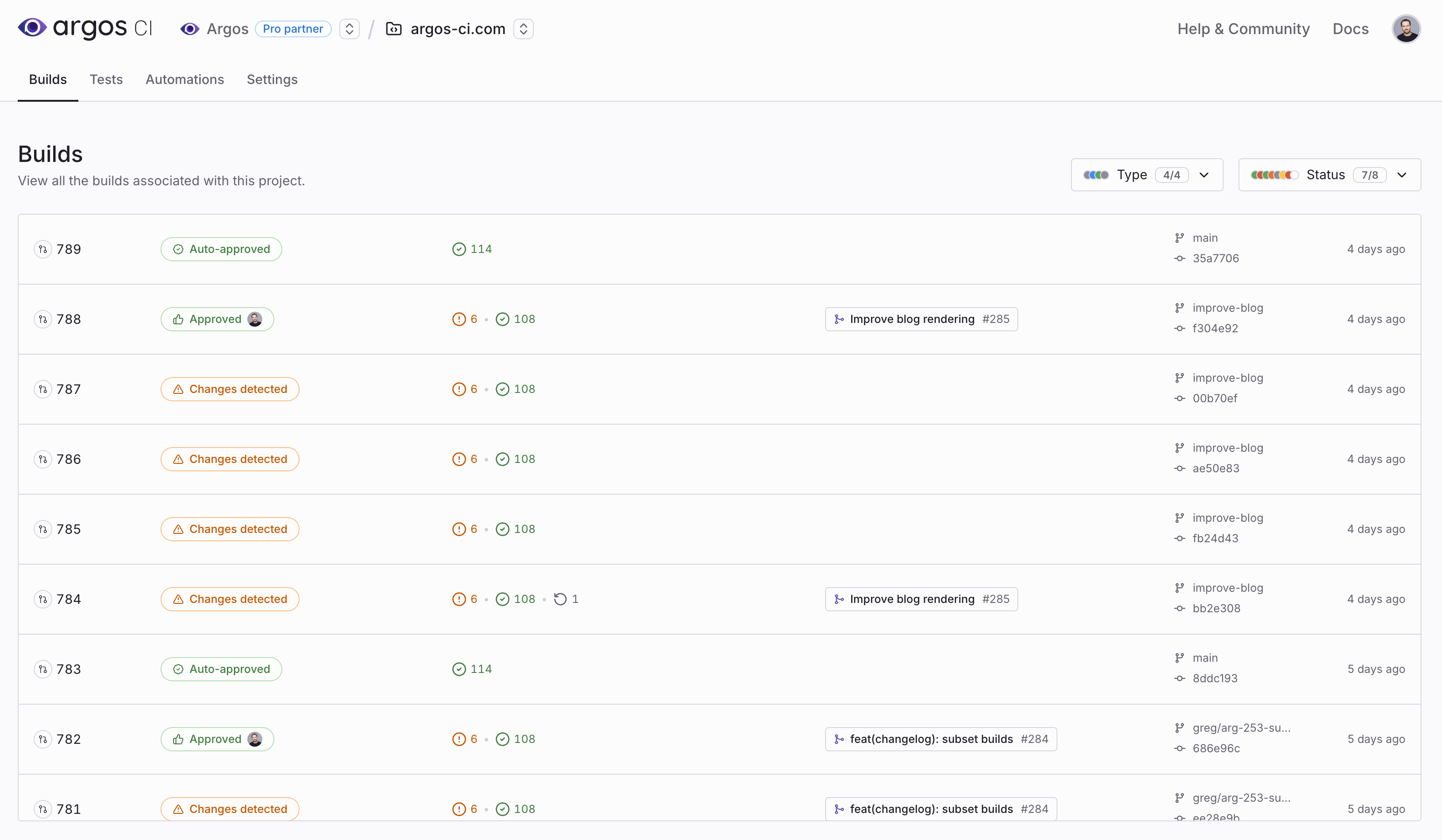
A project Builds list with status badges, change counts, and filters
Open the Builds list
- Open your project in Argos.
- Click the Builds tab.
What each row shows
Each row represents a single build and typically includes:
- Build ID and status (for example: Auto-approved, Approved, Changes detected, or Rejected).
- Change counts for the build (changes, additions, and removals when applicable).
- Pull request metadata when the build is linked to a PR.
- Branch and commit information.
- Timestamp for when the build was created.
Filters
Use the filters at the top of the page to narrow the list:
- Type: Filter by build category (for example: check, orphan, or auto-approved builds).
- Status: Filter by review state (for example: approved, changes detected, or rejected).
- Build name: Filter to a specific build name when your CI splits builds (see Build splitting).
Build names in the filter are sourced from builds created in the last month. Builds can't be deleted, but unused build names drop out of the filter list after about a month of inactivity.
FAQ
Can I delete a build? No. Builds are immutable records and cannot be deleted.
Why did a build name disappear from the filter? The build name list only includes names used in builds created within the last month. If a build name has no recent activity, it will no longer appear.