Flaky Test Detection
Argos flags unstable tests so you can decide with confidence. See a flaky badge next to every changed test and dive into detailed history and stability scores on a dedicated test page

Example of the flaky indicator in a build review
View flaky indicators in your build review
- Open any build in Argos
- Spot the flaky badge beside each changed test
- Hover over the badge to see details about the test's stability
Explore the test page
By clicking on the flaky badge, you will be taken to the test page where you can see the full history of the test and its stability score.
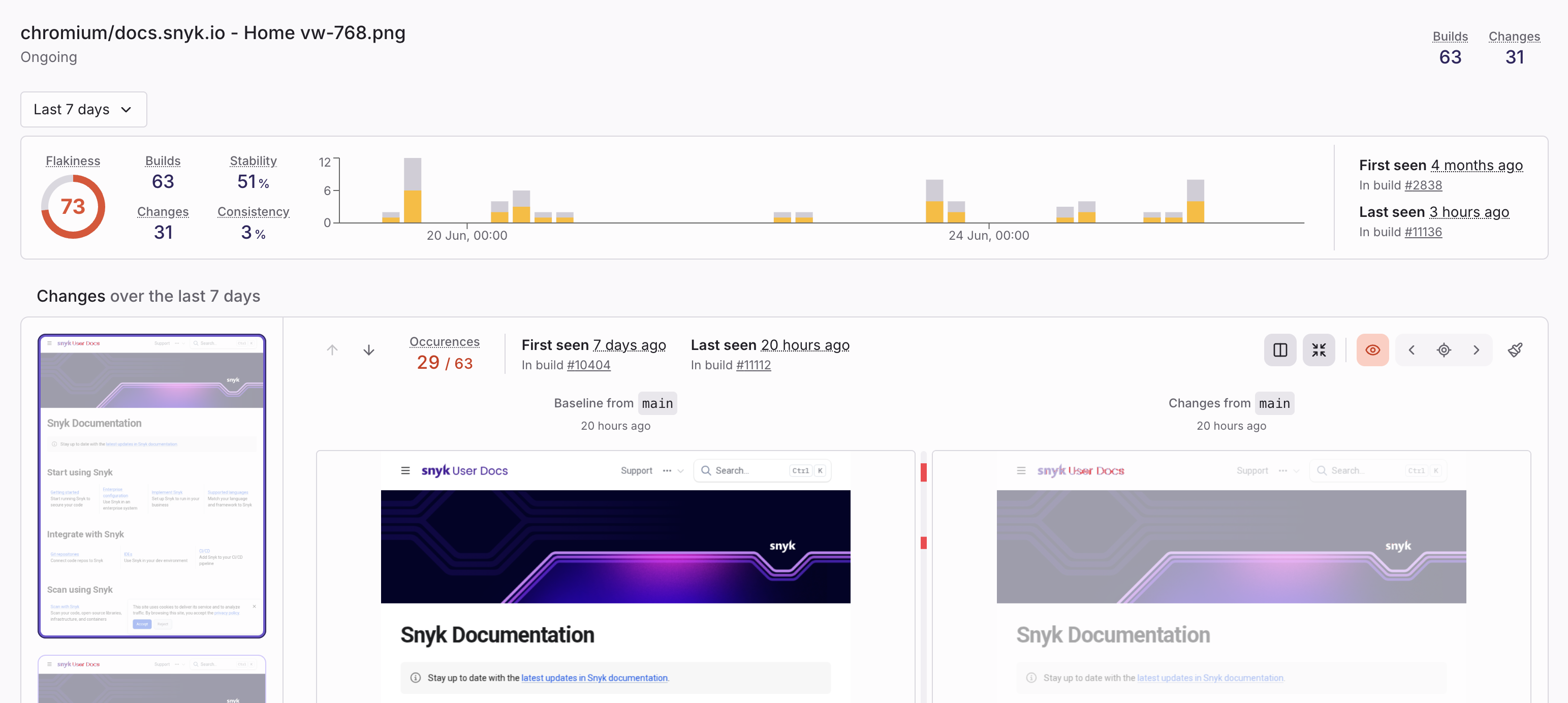
A sample test page with history timeline and score
On the test page you will find:
- Timeline of every change that affected the test
- Stability graph showing pass rate over time
- Calculated flaky score from zero up to one hundred
- List of changes happened to the test
Use this information to approve stable tests or flag flaky ones for fixes.
Ignore changes
When reviewing a visual test result in Argos, you may encounter changes that are not relevant or are caused by flakiness. You can ignore a specific change directly from the UI.
From the build page or the test page, click on the "Ignore" button next to the change you want to ignore.
Once ignored, Argos will no longer notify you if this exact same change happens again in future builds. This lets you filter out noise while keeping future regressions detectable.
Automatically ignore recurring flaky changes
You can also configure Argos to automatically ignore recurring flaky changes across builds.
To configure auto-ignore:
- Open your project in Argos
- Go to Project Settings
- Find Automatically ignore flaky changes
- Enable the toggle
- Set Minimum occurrences to consider a change flaky (last 7 days)
- Click Save
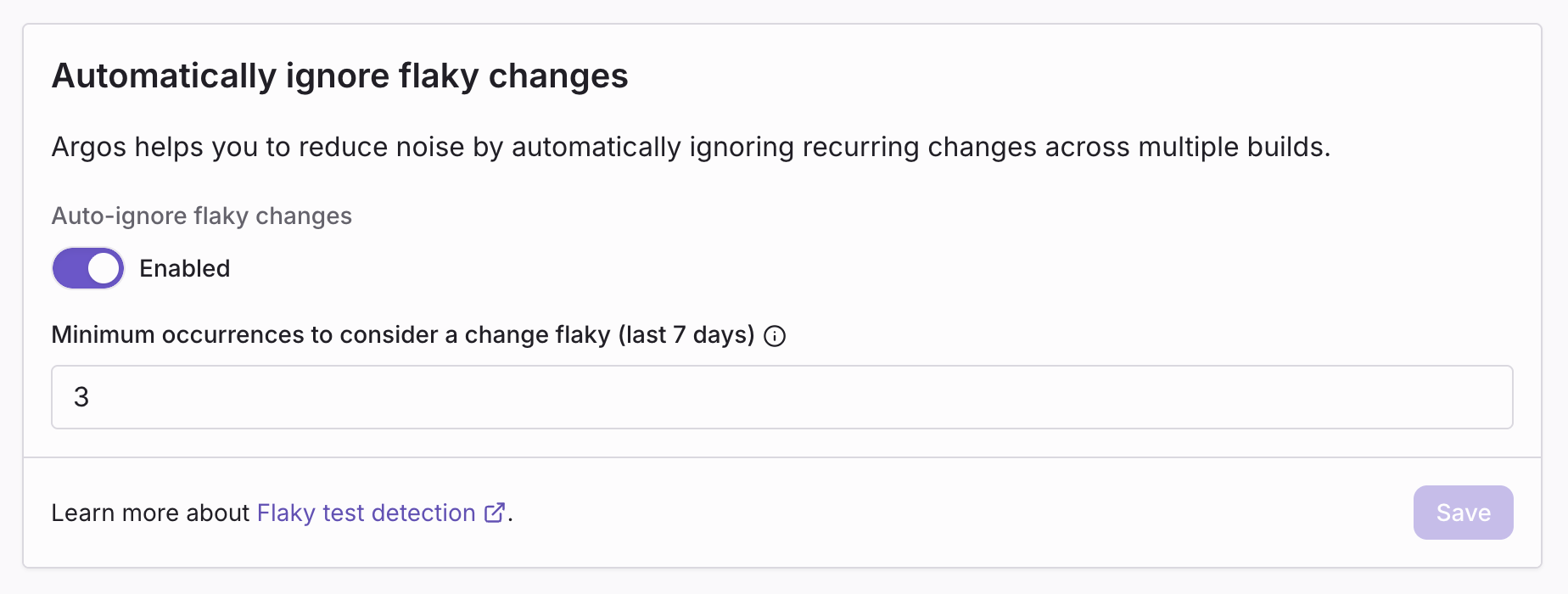
The minimum occurrences value controls how many times the same change must appear in the last 7 days before Argos starts ignoring it automatically.
Best Use Cases
- Flaky UI elements that appear/disappear randomly or render inconsistently.
- Non-deterministic image rendering (e.g. base64 previews, antialiasing issues).