Environments
Every deployment is created in one of two environments:
- Preview — A non-production deployment, typically created from a feature branch or pull request. Each preview gets its own URL and never replaces the production deployment.
- Production — The deployment served on your project's production domain. Only deployments from a production branch are promoted here.
The environment is decided when the deployment is created and cannot be changed afterwards.
How the environment is determined
Argos picks the environment in this order:
- Explicit override. If you pass
--prodto the CLI (orenvironment: "production"to the SDK), the deployment is created as production. - Branch match. Otherwise, the branch name is matched against the project's production branch pattern. A match → production. No match → preview.
By default, the production branch pattern follows your Git repository's default branch (usually main). You can override it from project settings.
Preview deployments
Preview deployments are the default. They are created when:
- You run
argos deploy <directory>without--prod, and - The branch does not match the production branch pattern.
Each preview deployment gets:
- A unique, immutable deployment URL — always points to that exact build.
- A branch URL — always points to the latest preview on that branch. Useful to share a link that follows a feature branch as it evolves.
See URLs and domains for the full list of URLs Argos generates.
When a preview deployment is linked to a pull request, the deployment status appears in the pull request comment and as a commit status check on the PR.
Production deployments
A production deployment is created when:
- You run
argos deploy <directory> --prod, or - The branch matches the production branch pattern.
When a new production deployment becomes ready, it is promoted: the project's production domain immediately starts serving the new build. Earlier production deployments remain available at their own URLs.
The Argos dashboard shows a Current badge next to the deployment that is currently serving the production domain.
 The deployments list highlights the deployment currently promoted to production.
Configure the production branch
By default, Argos uses your Git repository's default branch as the production branch. You can customize this from Settings → Deployments → Production deployment branch.
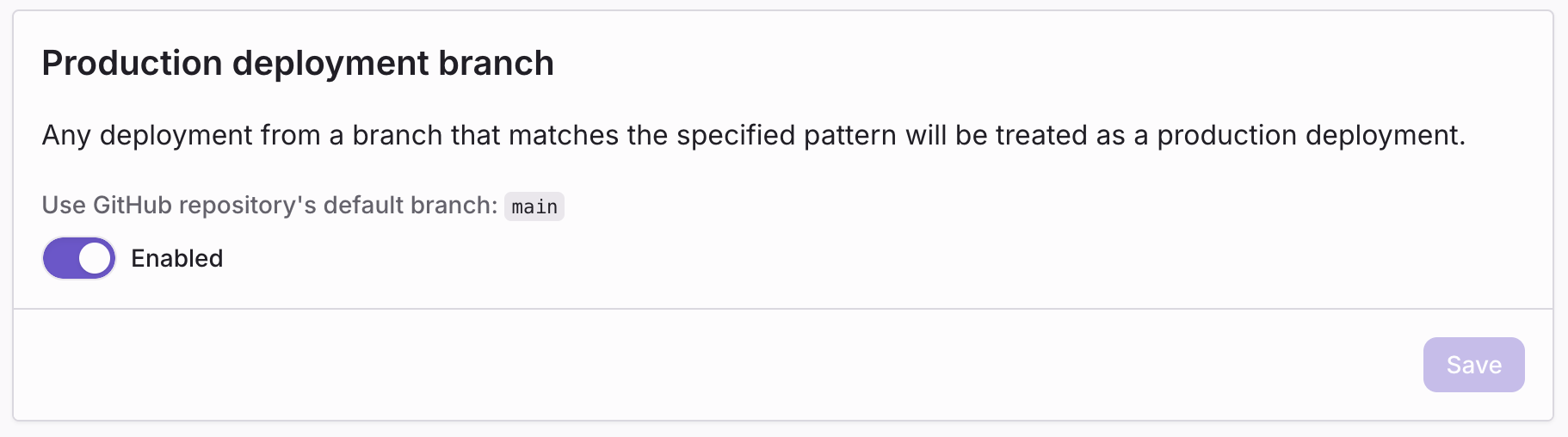 Project Settings → Deployments → Production deployment branch.
To customize:
- Disable Use GitHub repository's default branch.
- Enter a glob pattern that matches your production branches.
Examples:
main— Only themainbranch.{main,production}— Eithermainorproduction.release/**— Any branch underrelease/(for examplerelease/2024-q4).
Any branch matching the pattern produces a production deployment on the next CLI run, even without --prod.
Forcing an environment from the CLI
You can force the environment regardless of the branch with the --prod flag:
- npm
- yarn
- pnpm
- bun
npm exec -- argos deploy ./storybook-static --prod
yarn run argos deploy ./storybook-static --prod
pnpm exec -- argos deploy ./storybook-static --prod
bun x argos deploy ./storybook-static --prod
This is useful when you want to:
- Deploy a one-off production build from a local machine.
- Promote a deployment from a non-standard branch (for example, a release branch that doesn't match the configured pattern).
There is currently no flag to force a preview from a production branch—simply do not pass --prod and adjust the production branch pattern if needed.