Use deployments in CI
Running argos deploy from CI is the most common setup: a new deployment is created on every push to a pull request, and the deployment link appears in the PR comment alongside Argos visual tests.
This page walks through a GitHub Actions setup for Storybook. The same pattern works for any static build and any CI provider.
Prerequisites
- A static build step that produces a directory (for Storybook:
npm run build-storybook→storybook-static/). - An
ARGOS_TOKENavailable as a CI secret. You can also use GitHub OIDC or tokenless authentication to avoid managing a secret.
GitHub Actions example
name: Deploy Storybook to Argos

on:
  pull_request:
  push:
    branches:
      - main

jobs:
  deploy:
    runs-on: ubuntu-latest
    steps:
      - uses: actions/checkout@v6
      - uses: actions/setup-node@v6
      - run: npm ci
      - run: npm run build-storybook
      - run: npx --no-install argos deploy ./storybook-static
        env:
          ARGOS_TOKEN: ${{ secrets.ARGOS_TOKEN }}
A few notes:
- The workflow listens to both
pull_requestandpushtomain. Pull request runs produce preview deployments; pushes tomainproduce production deployments (becausemainmatches the default production branch pattern—see Environments). actions/checkoutgives Argos the commit SHA and branch it needs to associate the deployment with the right pull request.- The
ARGOS_TOKENis the project token from Settings → General → Token.
Force a production deployment
If your production branch differs from your repository's default branch (or if you want to be explicit), pass the --prod flag:
- run: npx --no-install argos deploy ./storybook-static --prod
  env:
    ARGOS_TOKEN: ${{ secrets.ARGOS_TOKEN }}
You can keep the same workflow for both preview and production by branching on the event:
- name: Deploy
  run: |
    if [ "${{ github.event_name }}" = "push" ]; then
      npx --no-install argos deploy ./storybook-static --prod
    else
      npx --no-install argos deploy ./storybook-static
    fi
  env:
    ARGOS_TOKEN: ${{ secrets.ARGOS_TOKEN }}
Combine with visual testing
The deploy and upload commands are independent: you can run both in the same workflow to get a deployment URL and Argos visual tests on the same commit.
- run: npm run build-storybook
- run: npm run test:visual # Your usual Argos visual test job
  env:
    ARGOS_TOKEN: ${{ secrets.ARGOS_TOKEN }}
- run: npx --no-install argos deploy ./storybook-static
  env:
    ARGOS_TOKEN: ${{ secrets.ARGOS_TOKEN }}
Argos posts a single pull request comment that lists both the deployment URLs and the visual build results.
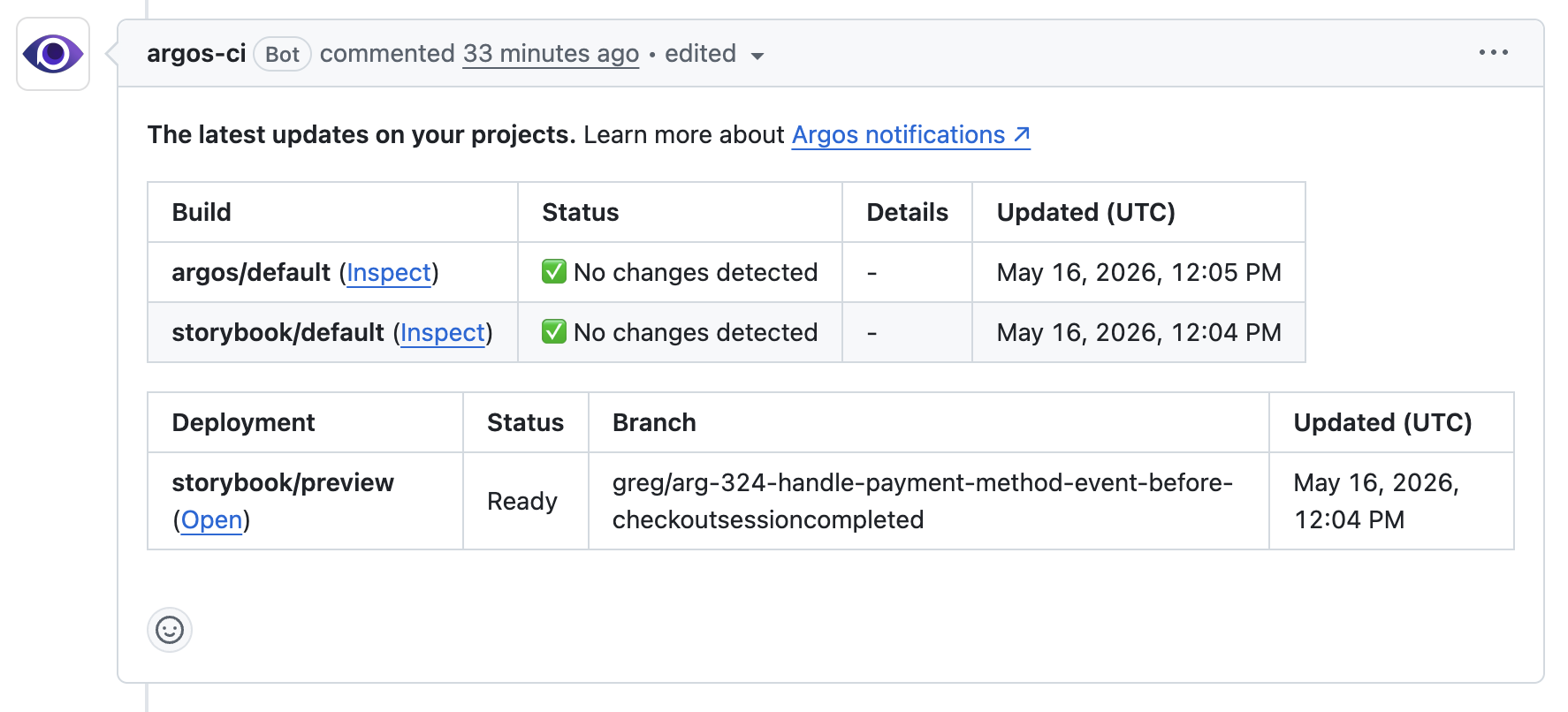 GitHub pull request comment showing both the deployment and the Argos visual build.
Status checks
Each deployment registers a commit status named argos-deploy/<project>. The status starts as pending when the upload begins and becomes success when the deployment is ready. You can require it in your branch protection rules if a missing deployment should block a merge.
Other CI providers
The argos deploy command has no GitHub-specific behavior. To run it on another CI provider:
- Build your static directory in your pipeline.
- Set
ARGOS_TOKENas a secret. - Run
argos deploy <directory>(add--prodfor production).
Argos automatically detects the commit SHA, branch, and pull request number from the most common CI environment variables.