Migrating Argos from Heroku to AWS
Lessons and technical details from Argos’ move off of Heroku Postgres onto Amazon EC2 and RDS, and a playbook others can follow for large‑scale PostgreSQL migrations.

Introduction
In 2025 the Argos team undertook a complex database migration: moving our production PostgreSQL database from Heroku to AWS. At the time, our database was close to 300 GB, with large tables such as screenshots containing around 250 million rows. The motivation was two‑fold-improve performance and reduce costs-while keeping downtime to a minimum for our users. Migrating this volume of data without breaking production requires careful planning, deep knowledge of PostgreSQL internals and AWS services, and clear communication among engineers.
This article shares why we left Heroku, the exact steps taken to perform the migration, and the challenges we encountered along the way. We hope that by documenting our experience, other teams can learn from our successes and pitfalls when undertaking similar migrations.
Why migrate off Heroku?
Several factors pushed us to leave Heroku Postgres:
Limited flexibility and upgrades
Heroku Postgres is fully managed, which is great for small projects: you don’t control most of the PostgreSQL configuration and operational knobs. At our scale, this became a real limitation. With a database close to 300GB and a screenshots table around 250 million rows, we needed deeper control over tuning, upgrades, and migration strategy than Heroku could provide.
Another major limitation is replication control: we couldn’t set up a publication/subscription pair directly for a straightforward migration path. That is exactly why this migration was hard. Instead, we had to ask Heroku support to expose low-level WAL archives in S3, then reconstruct and operate the migration pipeline ourselves from those files.
Performance and cost
The main issue was Heroku’s bundled scaling model. If you need more storage, you must upgrade the whole plan, even when CPU and memory are already sufficient. At our scale, this led to paying for resources we didn’t actually need.
Heroku Postgres is also expensive for what it provides. Since it ultimately runs on top of AWS infrastructure, that premium used to be easier to justify for convenience. Today, AWS RDS for PostgreSQL is itself fully managed and offers stronger monitoring, performance tooling, and operational controls, so the Heroku markup no longer made sense for us.
Declining product and support
Beyond technical concerns, we also saw clear product signals that Heroku was slowly declining. In early 2026, Salesforce announced it would stop selling Heroku Enterprise after acquiring the platform in 2010. This is not an official end-of-life, but ending Enterprise sales felt like the beginning of the end. For us, it validated the decision to move to infrastructure we control directly.
High‑level migration plan
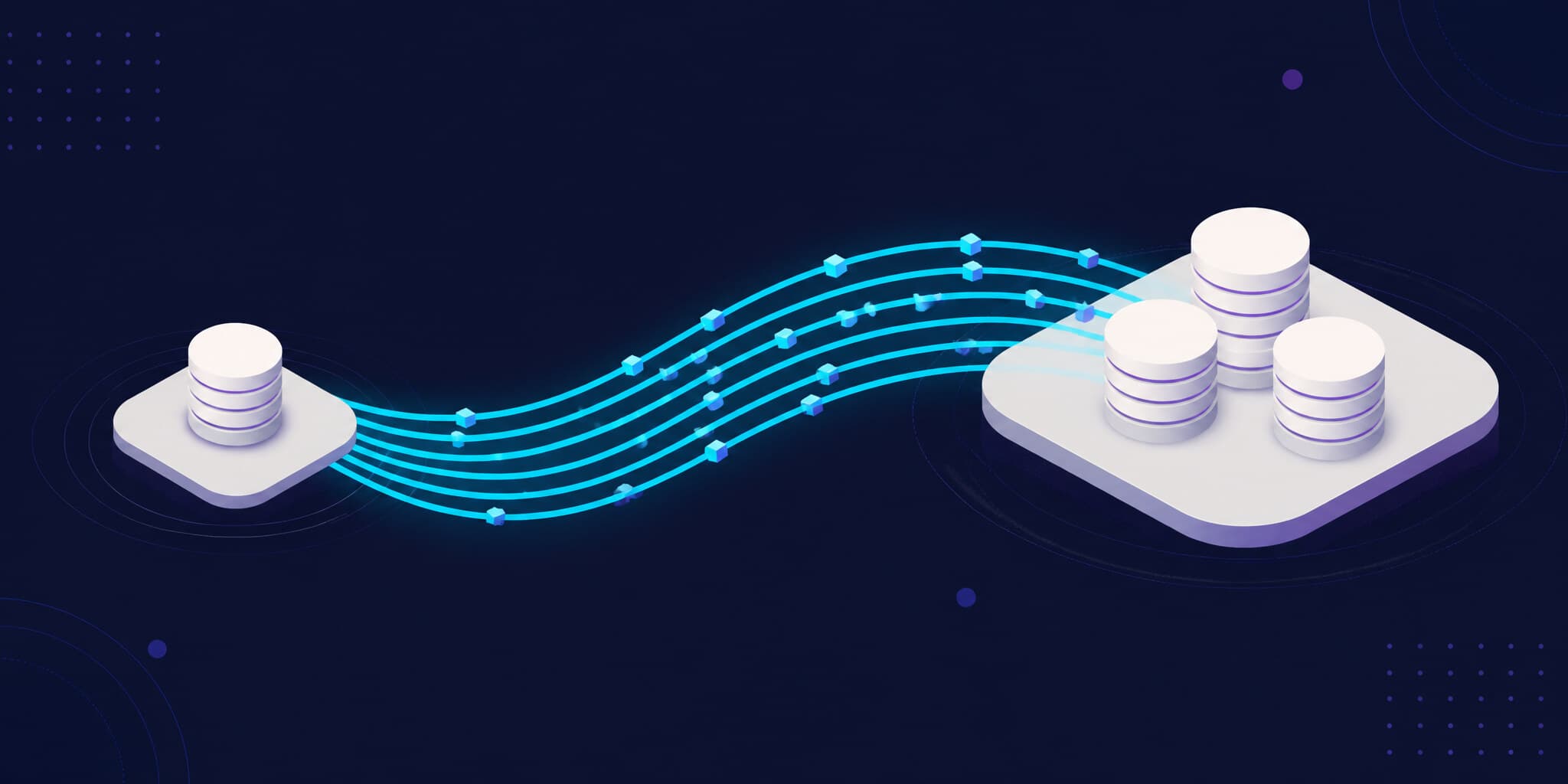
Our migration had two phases. First we built a temporary PostgreSQL server on an EC2 instance and restored the Heroku backup onto it using wal-e. We then promoted the EC2 server to primary and pointed Heroku at it, achieving minimal downtime. In the second phase we used PostgreSQL logical replication to synchronize data from the EC2 server into a managed RDS instance and switched our application to RDS. We chose this two‑step approach because RDS does not support streaming WAL replication, so we needed an intermediate server to receive the WAL stream from Heroku and then replicate it into RDS.
The high‑level steps were:
- Provision AWS resources – create an EC2 instance sized similarly to Heroku’s Postgres and provision an RDS instance.
- Dump schema and prepare RDS – extract the schema from Heroku using
pg_dump --schema-onlyand create the database and user on RDS. - Restore Heroku backup to EC2 – fetch the base backup and WAL segments from Heroku’s S3 bucket using
wal-eorwal‑g, generate missingbackup_labelandtablespace_mapfiles, and start Postgres in recovery mode. - Promote EC2 and repoint Heroku – wait for the EC2 instance to catch up, promote it to primary and update the
DATABASE_URLon Heroku. - Set up logical replication to RDS – create a publication on EC2 and a subscription on RDS to stream changes, then wait until RDS is fully caught up.
- Sync sequences and switch to RDS – run a script to align sequence values, drop the subscription and update
DATABASE_URLto point at RDS.
In the remainder of the article we dive into each step in detail.
Preparing AWS RDS
We created a PostgreSQL RDS instance in the us-east-1 region using the db.m6g.xlarge class with 4 vCPUs, 16 GB RAM and encrypted storage. To avoid sequence conflicts we first dumped only the schema from Heroku:
pg_dump "postgresql://user:pwd@<heroku-host>/db_name" --schema-only --no-owner --no-privileges > schema.sqlUsing the default postgres superuser on RDS we created an argos user and database. The following SQL grants privileges and adjusts default privileges so that the argos user owns tables and sequences:
CREATE USER argos WITH PASSWORD 'pwd';
CREATE DATABASE argos;
GRANT ALL PRIVILEGES ON DATABASE argos TO argos;
\c argos
GRANT ALL ON SCHEMA public TO argos;
ALTER DEFAULT PRIVILEGES IN SCHEMA public GRANT ALL ON TABLES TO argos;
We restored the schema onto RDS via
psql postgresql://argos:pwd@argos-postgres.xxx.us-east-1.rds.amazonaws.com/argos -f schema.sqlOnce RDS was ready we moved on to building the temporary EC2 server.
Restoring the Heroku backup onto EC2
Provisioning the EC2 instance and installing Postgres
We launched a t3.xlarge EC2 instance in us-east-1 with 4 vCPUs, 16 GB RAM and 300 GB of io1 storage. We chose Amazon Linux 2 and installed PostgreSQL 17:
sudo dnf update -y
sudo dnf install postgresql17-server -y
Installing wal‑e/wal‑g and fetching the base backup
Heroku uses the wal-e tool to archive Write‑Ahead Log segments to S3. To perform a point‑in‑time recovery we installed its dependencies:
sudo yum install -y lzop
sudo dnf install python3-pip -y
sudo -u postgres python3 -m pip install --user --upgrade pip wheel
sudo -u postgres python3 -m pip install --user wal-e[aws]
We then ran the following command to fetch the latest base backup and WAL archives into /var/lib/pgsql/data/:
sudo -u postgres AWS_ACCESS_KEY_ID=… AWS_SECRET_ACCESS_KEY=… AWS_REGION=us-east-1 \
  WALE_S3_PREFIX=s3://wal-e-<id>/wal-e-backups/timeline-<id> \
  /var/lib/pgsql/.local/bin/wal-e backup-fetch --blind-restore /var/lib/pgsql/data/ LATEST
Downloading ~300 GB of data took about 45 minutes. Because Heroku does not include the backup_label and tablespace_map files in the base backup, we had to reconstruct them. PostgreSQL’s continuous archiving and PITR documentation explains why these files are vital to a valid restore. Heroku stores their contents in a sentinel JSON file (*_backup_stop_sentinel.json) next to the backup in S3. We used AI to generate a small Python script (extract_wale_label.py) that uses boto3 to locate the most recent sentinel file, extract the backup_label and tablespace_map fields, and write them into our data directory. Without this step PostgreSQL would refuse to recover.
Configuring recovery mode
Next we prepared Postgres for continuous recovery. We created postgresql.conf and pg_hba.conf with the following key settings:
wal_level = logical– enables logical decoding; without it, WAL only supports physical replication.restore_command = '… wal-e wal-fetch "%f" "%p"'– instructs Postgres how to fetch future WAL segments.max_wal_senders = 30andhot_standby = on– allow connections while in recovery.
We also recreated the pg_wal directory and removed orphaned tablespace links. Finally we placed a standby.signal file in the data directory and started the service:
sudo systemctl start postgresqlMonitoring with journalctl -u postgresql -f and psql -c "select pg_is_in_recovery();" confirmed that the server was in recovery mode and streaming WAL from S3; the replay_delay continually decreased as we caught up.
Promoting the EC2 instance and switching Heroku
When the recovery lag dropped below a few seconds we scheduled a Heroku maintenance window. On Heroku we enabled maintenance mode (heroku maintenance:on) to block new writes and allow the EC2 instance to catch up. Once the replay delay reached zero, we promoted the EC2 database to primary:
sudo -u postgres pg_ctl promote -D /var/lib/pgsql/dataWe verified that pg_is_in_recovery() returned false and then pointed Heroku to our new primary by updating the DATABASE_URL:
heroku config:set DATABASE_URL=postgresql://user:pwd@<ec2-ip>/db_name
heroku maintenance:off
At this stage the Heroku application used the EC2 database as its primary. We kept the EC2 node running for a couple of hours to ensure stability before beginning phase 2. This phase was critical to minimize downtime: the switch from Heroku to EC2 took only a few minutes, and we had already verified that the EC2 instance was fully caught up before promoting it. The next phase would be to replicate data from EC2 into RDS using logical replication.
During this phase we were exposed because the EC2 instance has no replication or failover capabilities, so we monitored it closely for any signs of instability. Fortunately, the instance performed well and we had no issues during the switch.
Replicating data into RDS using logical replication
Creating a publication on EC2
Because Amazon RDS does not support streaming WAL replication, we used PostgreSQL’s built‑in logical replication. We created a dedicated replication user on EC2 with the REPLICATION attribute, granted read‑only access to all tables, and set statement_timeout = 0 to prevent long‑running transactions from timing out. We then created a publication that publishes all tables:
-- on EC2
CREATE ROLE repl_user WITH LOGIN PASSWORD '<password>';
ALTER ROLE repl_user WITH REPLICATION;
GRANT CONNECT ON DATABASE db_name TO repl_user;
GRANT USAGE ON SCHEMA public TO repl_user;
GRANT SELECT ON ALL TABLES IN SCHEMA public TO repl_user;
ALTER DEFAULT PRIVILEGES IN SCHEMA public GRANT SELECT ON TABLES TO repl_user;

CREATE PUBLICATION pub_all FOR ALL TABLES;
Creating a subscription on RDS
On the RDS side we logged in as the postgres superuser and executed a subscription:
CREATE SUBSCRIPTION sub_from_ec2
  CONNECTION 'host=<ec2-ip> port=5432 dbname=db_name user=repl_user password=<password> sslmode=prefer'
  PUBLICATION pub_all
  WITH (
    create_slot = true,
    enabled = true,
    copy_data = true
  );
This instructs RDS to connect to the EC2 host, create a replication slot and copy existing rows before streaming changes. We monitored progress using:
SELECT n.nspname, c.relname, s.srsubstate
FROM pg_subscription_rel s
JOIN pg_class c ON c.oid = s.srrelid
JOIN pg_namespace n ON n.oid = c.relnamespace;

SELECT * FROM pg_stat_subscription;
It took roughly eight hours for RDS to copy 300 GB of data. After the copy phase, the subscription entered the ‘r’ (replicating) state for all tables, indicating that only incremental changes were being streamed.
Catching up and switching to RDS
During a second maintenance window we repeated the catch‑up procedure. We enabled maintenance mode on Heroku, ensured that RDS had no replication lag by comparing pg_current_wal_lsn() on EC2 with latest_end_lsn in pg_stat_subscription on RDS, and then dropped the subscription:
DROP SUBSCRIPTION sub_from_ec2;
ALTER DATABASE argos RESET statement_timeout;
Logical replication does not replicate sequence values, so we ran a small Node.js script (sync‑sequences.js) that computes the maximum value of each identity column on RDS and executes setval() to advance sequences to the correct next value. This step is critical to prevent primary‑key collisions when the application begins writing to RDS.
Finally, we updated the application configuration:
heroku config:set DATABASE_URL=postgresql://argos:pwd@argos-postgres.xxx.us-east-1.rds.amazonaws.com/argos
heroku maintenance:off
After switching, we monitored metrics such as replication lag, query latency and CPU usage to confirm that the new RDS instance was performing as expected. Once satisfied, we terminated the EC2 server and removed the replication user.
Challenges and lessons learned
The migration process was complex and we encountered several challenges along the way. Some key lessons learned include:
- Understanding PostgreSQL’s WAL archiving and recovery process is critical. The need to reconstruct
backup_labelandtablespace_mapfiles from Heroku’s sentinel data was a non‑obvious hurdle that required deep knowledge of how PostgreSQL handles backups and restores. - Using an EC2 “bridge” host to receive WAL and act as an interim primary was essential to achieve minimal downtime. This allowed us to switch from Heroku to EC2 quickly while ensuring that the EC2 instance was fully caught up before promotion.
- Leveraging logical replication to move into RDS despite its lack of physical replication support was a key part of our strategy. However, it also introduced complexities such as the need to sync sequence values manually, which is a common pitfall in logical replication scenarios.
Plan, test and communicate
What worked for us was discipline in execution. We rehearsed the migration multiple times, documented every command in a detailed runbook, and split the cutover into two controlled maintenance windows (of around 1 minute each). We also communicated early with customers, so the short write downtime was expected and well understood.
We deliberately over-provisioned key resources for the migration phase to reduce risk, then optimized once traffic stabilized on AWS. That tradeoff helped us move faster and safer during the critical cutover period.
Conclusion
Migrating Argos from Heroku to AWS was a major project, but it gave us exactly what we needed: better performance, lower costs, and full control over how we operate PostgreSQL at our scale.
As of March 5, 2026, we have migrated all core services to AWS: Redis, RabbitMQ, and PostgreSQL. The last remaining piece is the application server layer. Among all these moves, the database migration was by far the hardest one because of both the data volume and the criticality of the workload.
If you are planning a similar move, our main advice is simple: test the full path repeatedly, treat cutover as an operational exercise, and keep rollback options available until the new system is fully stable.