How to screenshot every Storybook story on every pull request
Screenshot every Storybook story on each pull request with the Vitest addon and Argos, the test-runner or a Playwright loop. Tested configs, themes and CI.

To screenshot every Storybook story on every pull request, run your stories as tests in CI and let a visual regression testing tool capture each one: with Storybook's Vitest addon and the @argos-ci/storybook plugin, every story the addon tests becomes a screenshot, with no test file to write per story. Setups that can't use the Vitest addon have two other routes: the Storybook test-runner, whose official support ended in September 2026, and a Playwright loop over the built Storybook's index.json. Each pull request then gets a status check linking to every story whose pixels changed, for your team to approve or reject. We ran all three on Storybook 10.6.1, Vitest 5.0.3 and Playwright 1.63.0, and the configs and outputs below come from those runs.
Which approach should you use to screenshot every story?
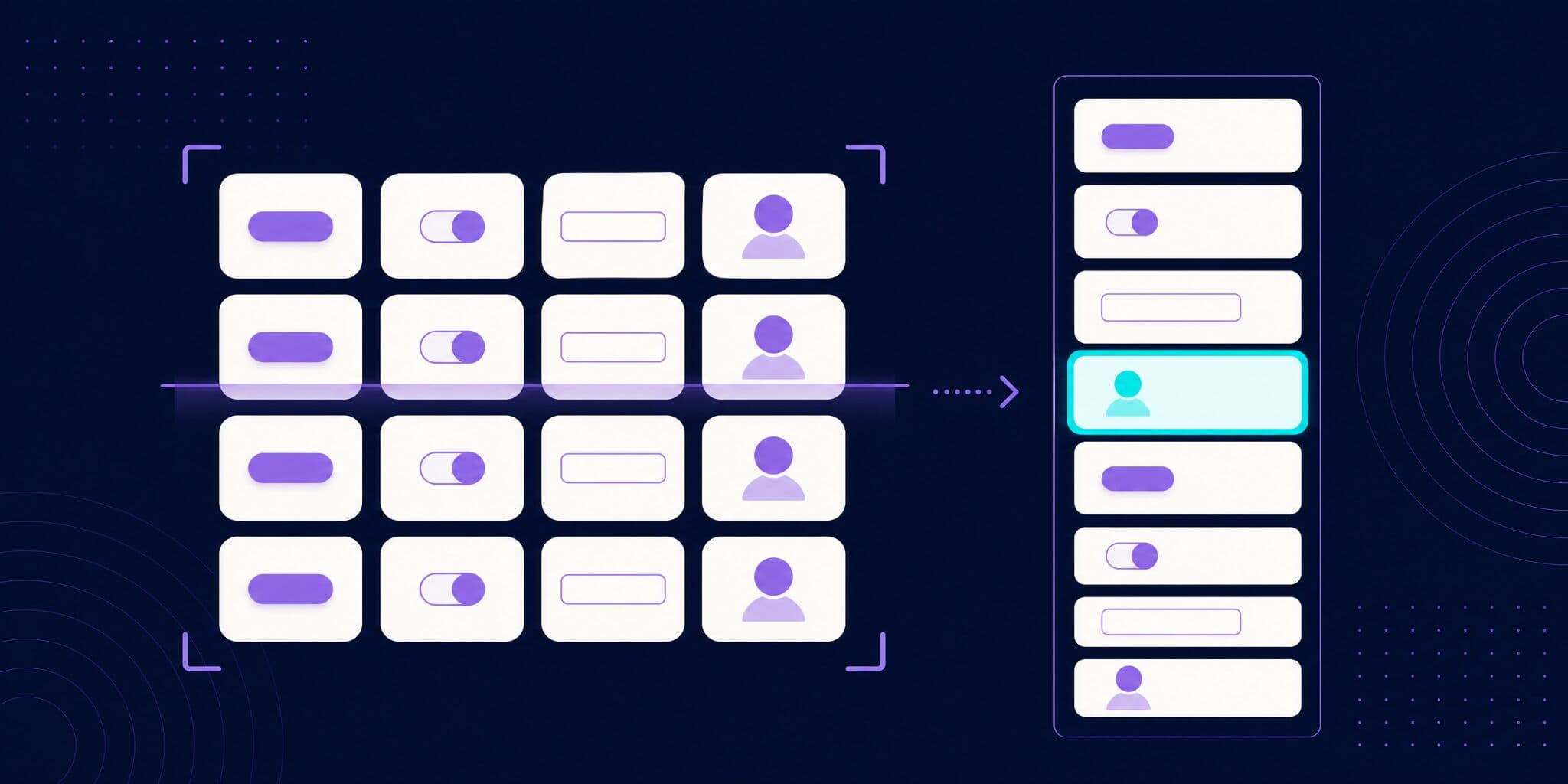
All three render each story in Chromium, driven by Playwright, and save one PNG per story. They differ in what they need and in how much is left to you.
| Vitest addon + Argos | Test-runner + Argos | Playwright loop over index.json | |
|---|---|---|---|
| Storybook versions | 9 and later, Vite-based framework | 8 and later, any builder | 8.5 and later as written, any builder |
| Needs a built Storybook | No | Yes, served over HTTP | Yes, served over HTTP |
Extra screenshots in play | argosScreenshot(ctx, name) | No | Steps written in the Playwright test |
| Themes and viewports | Argos story modes | Argos story modes | globals in the story URL |
| Where baselines live | Argos, from builds of your base branch | Argos | Git (toHaveScreenshot) or Argos |
| Status in October 2026 | Storybook's recommended runner | Official support ended | Recipe linked in Storybook's migration notes |
If your Storybook uses Vite, including @storybook/nextjs-vite, use the first column. The other two are for Webpack-based Storybooks, Storybook 8, or teams that don't want a Storybook test runner at all.
How do you screenshot every story with the Vitest addon?
Storybook's Vitest addon turns each story into a test that runs in Vitest browser mode: a check that the story renders, plus its play function if it has one. @argos-ci/storybook adds a Vitest plugin that screenshots each tested story once its test has run. Install both, and the Argos CLI for the deploy step later:
# Terminal
npx storybook add @storybook/addon-vitest
npm install --save-dev @argos-ci/storybook @argos-ci/cli
Then add the Argos plugin next to storybookTest(). This is the config we ran:
// vitest.config.ts
import path from "node:path";
import { fileURLToPath } from "node:url";
import { defineConfig, mergeConfig } from "vitest/config";
import { playwright } from "@vitest/browser-playwright";
import { storybookTest } from "@storybook/addon-vitest/vitest-plugin";
import { argosVitestPlugin } from "@argos-ci/storybook/vitest-plugin";
import viteConfig from "./vite.config";

const dirname = path.dirname(fileURLToPath(import.meta.url));

export default mergeConfig(
  viteConfig,
  defineConfig({
    test: {
      projects: [
        {
          extends: true,
          plugins: [
            // Turns every story into a test (smoke test + play function).
            storybookTest({ configDir: path.join(dirname, ".storybook") }),
            // Screenshots every tested story. Uploads only on CI.
            argosVitestPlugin({ uploadToArgos: !!process.env.CI }),
          ],
          test: {
            name: "storybook",
            browser: {
              enabled: true,
              headless: true,
              provider: playwright({
                // Reduces text rendering differences between machines.
                launchOptions: {
                  args: ["--disable-lcd-text", "--font-render-hinting=none"],
                },
              }),
              instances: [{ browser: "chromium" }],
            },
          },
        },
      ],
    },
  }),
);
mergeConfig keeps your app's Vite plugins in the Storybook tests, as in Storybook's example config. Since Storybook 10.3 the addon applies .storybook/preview itself, so no setup file is needed. On Storybook 9 to 10.2, keep the setupFiles: [".storybook/vitest.setup.ts"] entry the installer generated. Storybook 11's migration notes say it throws if that file still calls setProjectAnnotations.
Run it with npx vitest run --project=storybook. On our 12-story test Storybook (one story tagged !test, one with a play function), it ran 11 tests and wrote 12 PNGs to ./screenshots, named after the story IDs:
# 4 of the 12 files
screenshots/components-button--primary.png
screenshots/components-card--with-footer.png
screenshots/forms-loginform--submitted.png
screenshots/forms-loginform--submitted/filled.png
Each screenshot is cropped to the rendered component, with 16px of padding at 2x zoom. For page-level stories, set parameters.argos.fitToContent to false (SDK reference). Locally the files stay on disk; in CI, where CI is set, the plugin uploads them. Add screenshots/ to .gitignore.
How do you capture a state inside a play function?
The filled.png above comes from argosScreenshot called halfway through an interaction:
// src/components/LoginForm.stories.tsx
import type { Meta, StoryObj } from "@storybook/react-vite";
import { expect, userEvent, within } from "storybook/test";
import { argosScreenshot } from "@argos-ci/storybook/vitest";
import { LoginForm } from "./LoginForm";

const meta = {
  title: "Forms/LoginForm",
  component: LoginForm,
} satisfies Meta<typeof LoginForm>;

export default meta;
type Story = StoryObj<typeof meta>;

export const Submitted: Story = {
  play: async (ctx) => {
    const canvas = within(ctx.canvasElement);
    await userEvent.type(canvas.getByLabelText("Email"), "ada@example.com");
    await userEvent.type(canvas.getByLabelText("Password"), "hunter2");
    // Writes forms-loginform--submitted/filled.png
    await argosScreenshot(ctx, "filled");
    await userEvent.click(canvas.getByRole("button", { name: "Sign in" }));
    await expect(canvas.getByRole("status")).toHaveTextContent("Signed in");
  },
};
The automatic screenshot still runs after the test, so this story produces two files: the filled form and the signed-in end state. This helper only works under Vitest.
How do you skip a story?
The plugin captures every story the addon tests, so you skip a screenshot by skipping the test. Remove Storybook's built-in test tag from the story or its meta (tags docs):
// src/components/Badge.stories.tsx (excerpt)
export const WorkInProgress: Story = {
  tags: ["!test"],
};
Or put your own tag on the stories and exclude it in the plugin options:
// vitest.config.ts (excerpt)
storybookTest({
  configDir: path.join(dirname, ".storybook"),
  tags: { exclude: ["no-visual"] },
}),
In our run, the tagged story disappeared from both the test results and the screenshot folder. That is the trade-off: an excluded story loses its interaction test too, and the Argos docs don't describe a switch that skips only the screenshot.
How do you capture every story in light and dark mode?
Argos story modes apply a set of Storybook globals before each capture and save one screenshot per mode (docs). Define them next to the decorator that reads the global:
// .storybook/preview.ts
import type { Preview } from "@storybook/react-vite";
import { withThemeByClassName } from "@storybook/addon-themes";

const preview: Preview = {
  decorators: [
    withThemeByClassName({
      themes: { light: "", dark: "dark" },
      defaultTheme: "light",
    }),
  ],
  parameters: {
    viewport: {
      options: {
        mobile: { name: "Mobile", styles: { width: "375px", height: "667px" } },
      },
    },
    argos: {
      modes: {
        light: { theme: "light" },
        dark: { theme: "dark" },
      },
    },
  },
};

export default preview;
With these two modes, the same 11 tests wrote 24 files, such as components-button--primary mode-[dark].png, and the filled capture was taken once per mode. Modes defined on a component or a story merge with these, and one mode can set several globals at once ({ theme: "dark", viewport: "mobile" }). modes: null removes every mode from a story. To turn off an inherited mode for one component:
// src/components/Card.stories.tsx (excerpt)
parameters: {
  argos: { modes: { dark: { disabled: true } } },
},
The key is disabled. Chromatic spells it disable: true, and Argos also reads parameters.chromatic.modes, so rename the key when you bring a Chromatic config over: in our run, a story with disable: true still produced its dark screenshot.
Storybook 10.5 added another route: an initialGlobals option on storybookTest() that pins globals per Vitest project, such as one project per theme (#35226). With the Argos plugin, both projects write the same file names: our 8 tests left 4 screenshots, one theme overwriting the other. If you go that way, give each project its own root and buildName. Modes keep both themes in one build. The dark mode guide covers themes outside Storybook.
What if you are on Storybook 8 or a Webpack-based Storybook?
The test-runner integration takes a screenshot in the runner's postVisit hook, against a built and served Storybook:
// .storybook/test-runner.ts
import type { TestRunnerConfig } from "@storybook/test-runner";
import { argosScreenshot } from "@argos-ci/storybook/test-runner";

const config: TestRunnerConfig = {
  async postVisit(page, context) {
    await argosScreenshot(page, context);
  },
};

export default config;
You then upload the folder with npx argos upload ./screenshots (quickstart). Modes work the same way; screenshots inside play functions do not.
Two caveats as of October 2026. @storybook/test-runner 0.26.0 (September 30, 2026) ended official support and prints a warning on every run; Storybook's migration notes point to the Vitest addon. And on Storybook 10 and later, where the test-runner (0.24 and up) depends on Jest 30, a fresh install resolves Jest 30.5, which refuses the module hook Storybook uses to load .storybook/test-runner.ts: every suite fails with "module.register() is not supported in Jest" (storybook#36116, open). Pinning jest-runtime fixed it in our run:
# Terminal
npm pkg set overrides.jest-runtime=30.4.2
npm install
When you later move to the Vitest addon, plan one review round: the two runners render stories in different pages, and 16 of our 22 screenshots came out 1px wider or taller.
Can you screenshot every story with plain Playwright?
Yes. A built Storybook ships index.json, the list of every story, and serves each story on its own at iframe.html?id=<story-id>&viewMode=story. A Playwright test can loop over that list, with any builder and no Storybook test runner. Storybook's migration notes link a recipe built this way for teams that can't switch to Vite. Ours adds a theme through the globals URL parameter, which the preview reads, and waits for Storybook's storyFinished event (Storybook 8.5 and later) so play functions complete before the capture:
// tests/stories.spec.ts
import { readFileSync } from "node:fs";
import { expect, test } from "@playwright/test";

type Entry = {
  id: string;
  title: string;
  name: string;
  type: string;
  tags?: string[];
};

const { entries } = JSON.parse(
  readFileSync("storybook-static/index.json", "utf8"),
) as {
  entries: Record<string, Entry>;
};

// Same rule as Storybook's runners: stories that keep the built-in `test` tag.
const stories = Object.values(entries).filter(
  (entry) => entry.type === "story" && entry.tags?.includes("test"),
);

for (const story of stories) {
  for (const theme of ["light", "dark"]) {
    test(`${story.title} › ${story.name} [${theme}]`, async ({ page }) => {
      // Record Storybook's "storyFinished" event (render + play function).
      await page.addInitScript(() => {
        let channel: any;
        Object.defineProperty(globalThis, "__STORYBOOK_ADDONS_CHANNEL__", {
          configurable: true,
          get: () => channel,
          set: (value) => {
            channel = value;
            channel.on("storyFinished", ({ status }: { status: string }) => {
              (globalThis as any).__storyStatus = status;
            });
          },
        });
      });
      await page.goto(
        `/iframe.html?id=${story.id}&viewMode=story&globals=theme:${theme}`,
      );
      const status = await page.waitForFunction(
        () => (globalThis as any).__storyStatus,
      );
      expect(await status.jsonValue()).toBe("success");
      await expect(page.locator("#storybook-root")).toHaveScreenshot(
        `${story.id}-${theme}.png`,
      );
    });
  }
}
// playwright.config.ts
import { defineConfig } from "@playwright/test";
export default defineConfig({
testDir: "./tests",
fullyParallel: true,
use: { baseURL: "http://localhost:6006" },
webServer: {
command: "npx http-server storybook-static --port 6006 --silent",
url: "http://localhost:6006/index.json",
reuseExistingServer: !process.env.CI,
},
});On our Storybook this ran 22 tests (11 stories, 2 themes), and a second run compared all 22 against the baselines from the first. The __STORYBOOK_ADDONS_CHANNEL__ global is part of Storybook's internals (the recipe uses it too), so recheck it after major upgrades. toHaveScreenshot keeps baselines in Git with the platform in the file name (components-button--primary-dark-linux.png), so create them in the same environment as CI. To send the captures to Argos instead, add the Argos reporter to the config and replace the assertion:
// tests/stories.spec.ts (excerpt)
import { argosScreenshot } from "@argos-ci/playwright";

// ...in the test, instead of toHaveScreenshot:
await argosScreenshot(page, `${story.id} [${theme}]`, {
  element: "#storybook-root",
});
How do you run it on every pull request?
For the Vitest addon route, one GitHub Actions job runs the stories, then builds and deploys the Storybook:
# .github/workflows/storybook.yml
name: Storybook visual tests

on:
  pull_request:
  push:
    branches: [main]

jobs:
  storybook:
    runs-on: ubuntu-latest
    steps:
      - uses: actions/checkout@v7
      - uses: actions/setup-node@v7
        with:
          node-version: 24
      - run: npm ci
      - run: npx playwright install --with-deps chromium
      - run: npx vitest run --project=storybook
        env:
          ARGOS_TOKEN: ${{ secrets.ARGOS_TOKEN }}
      - run: npm run build-storybook
      - run: npx argos deploy ./storybook-static
        env:
          ARGOS_TOKEN: ${{ secrets.ARGOS_TOKEN }}
Keep the push trigger on your main branch. Argos compares a pull request with an approved build from the history of its base branch (baseline selection), so main needs builds too; until it has one, pull request builds are marked orphan. ARGOS_TOKEN is the project token from the Argos settings, and on GitHub Actions you can drop the secret for OIDC or tokenless authentication. The last step publishes storybook-static to a preview URL for the pull request, with its own argos-deploy/<project> status (deployments docs).
What does the pull request check show?
Argos posts a commit status named argos, or argos/<build-name> for a named build (status names). It links to the build, where each changed story appears with its baseline and the new screenshot side by side, changed pixels highlighted. Reviewers approve or reject: one rejection blocks the build, otherwise one approval passes (review docs). Approved builds become the baselines later pull requests compare against, so no PNG is committed to the repository. To block merges until someone has looked, make the status required; our merge gate guide shows the setup.
When is Chromatic, or a DIY setup, the better fit?
Chromatic is made by the Storybook team, and Storybook's visual testing docs point to it. It uploads your Storybook and renders every story in its own cloud browsers, after the play function finishes (how Chromatic captures). Pricing below is from chromatic.com/pricing, checked October 6, 2026.
- Choose Chromatic if you want stories rendered in Safari, Firefox and Edge as well as Chrome without running those browsers yourself; Argos only captures in the browsers your tests run. Chromatic's free plan covers Chrome with 5,000 snapshots a month; paid plans start at $179 a month for 35,000 and add the other browsers.
- Choose Chromatic if TurboSnap suits your repository: it captures only the stories affected by a change and bills the copied ones at a fifth of a snapshot (TurboSnap docs).
- Choose the Playwright loop with
toHaveScreenshotif your Storybook is small, one or two people review UI changes, and PNG baselines in Git are acceptable. It costs nothing but maintenance. - Choose Argos if you want stories captured in the browser your CI already runs, screenshots inside
playfunctions, baselines from approved builds instead of Git, and the same review for your Playwright end-to-end screenshots. The code is open source (MIT), and Storybook screenshots are billed at a lower rate (pricing).
Argos vs Chromatic compares the two feature by feature, and Storybook visual testing without Chromatic covers the move.
FAQ
Do I need to write a test for each story?
No. The Vitest addon turns each story into a test (a render check plus its play function), and the @argos-ci/storybook plugin screenshots each tested story after it runs. A new story is covered the next time the tests run. You only write code for extra states, with argosScreenshot(ctx, name) inside play.
Which Storybook versions does this work with?
@argos-ci/storybook 6.4.2 supports Storybook 8 to 11, including 11 prereleases. The Vitest addon route needs Storybook 9 or later on a Vite-based framework, with Vitest 4 or 5. Storybook 8 and Webpack-based setups use the test-runner integration or a Playwright loop over index.json.
How do I skip a story in visual tests?
Add tags: ["!test"] to the story, or give it a custom tag and list that tag in storybookTest({ tags: { exclude: [...] } }) (--excludeTags with the test-runner). Either way the story is no longer tested at all. To skip only one mode, set that mode to { disabled: true } in the story's parameters.argos.modes.
How do I capture dark mode for every story?
Add a dark mode to parameters.argos.modes in .storybook/preview.ts that sets the global your theme decorator reads, such as { theme: "dark" } with @storybook/addon-themes. Every story then gets a mode-[dark] screenshot with its own baseline. Turn it off for a component with { disabled: true }.
How many screenshots will this produce, and what does it cost?
Tested stories times modes, plus each argosScreenshot call in a play function, once per mode. Our 11 tested stories and one play capture gave 12 screenshots, and 24 with light and dark modes; a 400-story library with two themes uploads 800 per build. Argos bills Storybook screenshots at a lower rate than other screenshots (see pricing).
Does this work with Storybook for Next.js?
Yes, with the @storybook/nextjs-vite framework: Storybook's docs list the Vitest addon as supported on Next.js 14.1 and later through it. The Webpack-based @storybook/nextjs framework needs the test-runner integration or the Playwright loop.
Conclusion
On a Vite-based Storybook, screenshotting every story takes one Vitest plugin and one CI job: the addon makes each story a test, the plugin captures it, and modes multiply the coverage across themes and viewports. The test-runner still works on Storybook 8 and Webpack setups, without official support and with a Jest pin for now, and a Playwright loop over index.json covers everything else. Start with the Storybook quickstart or the Storybook integration page.